
Give Your Store a Tiny Sidekick: Build a ChatGPT Pet
List of content
- First, give your assistant a face
- Then connect the store it will help you work on
- Start with the jobs that keep stealing ten minutes
- Put product photos in a useful order
- Turn rough product information into a clear draft
- Give the shop blog a first draft
- Teach the routine you want to repeat
- Give recurring work a real schedule
- What can change in the first month?
- Can you do this with the tools you already pay for?
- Give tomorrow morning a smaller to-do list
Picture this: it is 8:07 in the morning. Your coffee is still too hot, the shop has new orders, and you have opened a product page you meant to fix yesterday.
A small fox is waiting at the edge of your screen.
You call it Pip. You ask for the morning check, carry on packing an order, and come back to a short list: two products missing useful photos, one description that needs a fact checked, and a draft for this week's shop blog.
Pip is our imagined companion for this story. The useful part is a workflow you can build for your own business: a custom ChatGPT Pet, an AI assistant, and a connected Selldone store.
It starts with something fun. It becomes valuable when you give the assistant a few jobs it can repeat well.

First, give your assistant a face
A ChatGPT Pet is an animated companion and a way into your chats. Choosing a fox, robot, or tiny bakery mascot changes the appearance; the underlying ChatGPT or Codex task still does the work.
Here is the current desktop route for macOS and Windows, from OpenAI's Pets guide:
- Open the ChatGPT desktop app, then .
- The app prepares the creation workflow and opens a chat. Describe your character.
- Follow that chat through creation and review.
- Return to , then select the finished pet.
- Type
/pet, or choose from the command menu.
Try a brief like this:
Create a small coral fox named Pip for my online shop. Give it a cream muzzle, navy ear tips, and a friendly, calm expression. Keep it easy to recognize at a small size, with clear animation and no text or logos.A simple silhouette helps. Think of the character you would enjoy seeing beside your work every day: a florist's bee, a little warehouse robot, or a fox with excellent taste in mugs.
The Quick Chat release notes give the floating-control shortcuts: on macOS and on Windows. If Pets is missing, update the app and check workspace availability. Desktop-created custom pets are local and do not automatically sync to the web.
For a quick request, use the pet's chat controls. For your ongoing shop work, open the relevant project in the main app so its context is available.
Then connect the store it will help you work on
A mascot makes the relationship feel personal. The shop connection supplies the actual tools.
Selldone MCP connects an authorized AI assistant to a specific Selldone shop. That lets a request such as “check my product gallery” refer to your catalog, rather than a generic example the model has imagined.
Start from Selldone's connection page, sign in, choose the shop, and approve the permissions needed for the work. Use the guided plugin or connection flow offered for your environment.
For a direct desktop MCP connection, OpenAI documents . Use the server details supplied by Selldone, save and restart, then authenticate when prompted. Enter /mcp to inspect the connection. The official MCP setup guide covers the available interfaces; hosted ChatGPT uses installed plugins rather than your local Codex configuration.
You should never need to paste private API keys or tokens into a conversation to explain your business. Complete sign-in through the connection flow.
Once connected, ask for a small proof:
Use my Selldone connection. Tell me which shop is selected and which read tools are available. Read a small sample of products and summarize what you can help with. Do not change the shop.Now you have something more useful than a clever chat: an assistant that can inspect the source of truth for the business, within the access you granted.
Start with the jobs that keep stealing ten minutes
Most shop owners can name them immediately. The mug with its best photo buried at the end of the gallery. The product title copied from a supplier sheet. The blog idea that is still a sentence in a notebook.
Those are good first assignments because you can see what a better result looks like.
Put product photos in a useful order
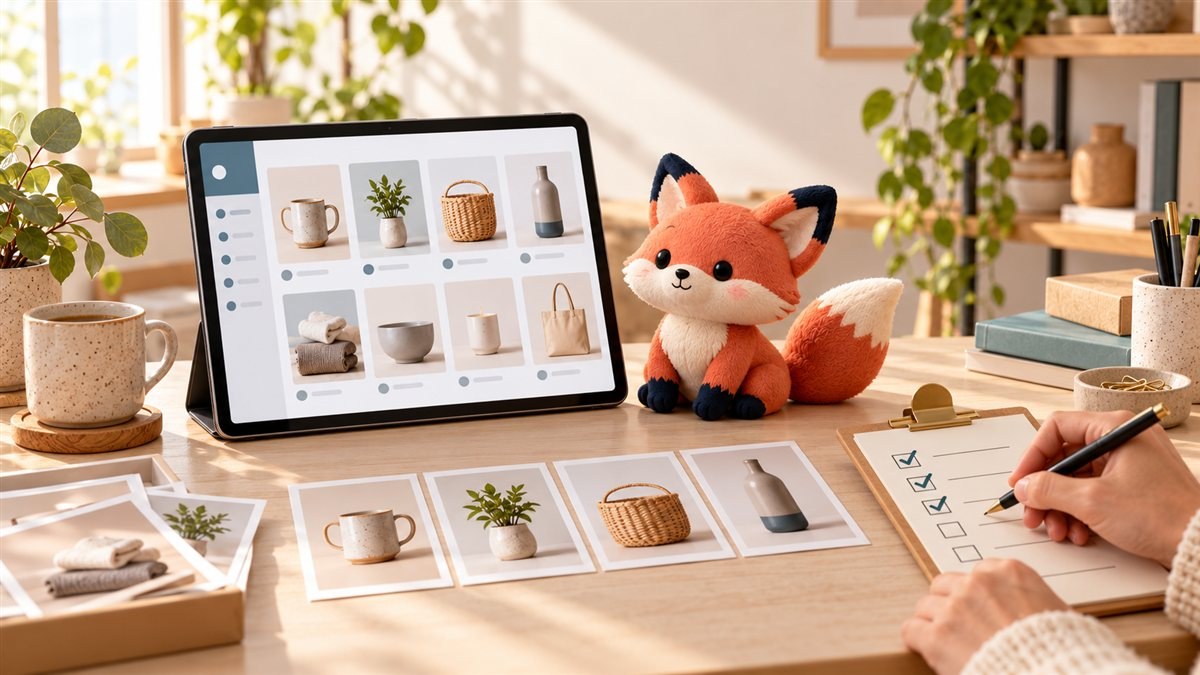
Ask the assistant to inspect a small collection and suggest a main image, gallery order, and descriptive alt text. A missing image, an apparent duplicate, and a confusing sequence are different problems; a useful report should tell you which one it found.
Review up to 10 active products in my connected Selldone shop. Show the product ID, image count, missing alt text, and any gallery-order issue. Suggest changes using existing images only. Show your reasons before making changes.Review the proposal, choose the rows you want, and have the assistant apply the supported changes to that bounded set. Ask it to read the products again and confirm the result.
If you want new images, treat that as its own creative task. Supply real product references, review the generated artwork, and only then upload approved assets. A beautiful picture still needs to represent the item you actually sell.
Turn rough product information into a clear draft
Give the assistant the details a good colleague would need: what the product is, who it suits, which facts are verified, and how your brand sounds.
“Make it better” invites guesswork. “Keep the dimensions exactly as listed, use plain English, and flag any missing material information” gives the task a useful boundary.
Your connected tools determine which fields can be updated. Ask the assistant to inspect them, show the proposed wording, and save approved changes where supported. A missing specification should become a question for you.
Give the shop blog a first draft
Suppose you sell ceramic mugs. A post about choosing a mug for a slow morning could draw on the actual sizes, care instructions, and product photographs in the shop. You provide the angle; the assistant can help research, structure, draft, and prepare the accompanying visuals.
Draft an article for my connected shop's blog about [topic]. Use verified facts from these products: [products]. Write in our brand voice, suggest a title and excerpt, and propose an image brief. Show me the complete draft before saving or publishing.Check the current blog tools and permissions before asking it to save or publish. Your merchant-owned shop blog and Selldone's official editorial blog have different access and approval paths.
Teach the routine you want to repeat
After a few good results, the repeated explanation becomes the next thing to fix.
You always prefer the same order: product name, issue, proposed change, and a link to review it. You always want centimeters preserved. You always want the brand to sound like a helpful person. Write those choices down.
A skill can package that workflow for reuse. It gives the assistant a consistent process, the context it needs, and a definition of a finished job. You can ask ChatGPT or Codex to help create one after testing the routine.
Turn our approved product-review process into a reusable skill for this environment. Include our brand rules, required source facts, review format, permitted actions, and the checks that confirm success. Preserve the existing instructions. Test it on three products and show me the results.This is what “teaching your pet” means in everyday conversation: you are improving the instructions and tools behind that friendly face. Choosing a new character does not retrain the model or give it new shop permissions.
The same habit works for a weekly content brief, an incomplete-product checklist, or a short morning operations report. Add one routine that earns its place, then another.
Give recurring work a real schedule
A request to “do this every morning” needs a saved schedule. OpenAI's Scheduled tasks can run supported routines using the tools and skills available to that task.
Run the prompt manually first. When the result is useful, describe the time, time zone, scope, and situations that deserve your attention. For example:
Every weekday at 9:00 AM Asia/Dubai, review up to 10 products changed since the previous run for missing images, alt text, and incomplete product facts. Use the connected Selldone shop and prepare a short action list. Notify me only when there is something to review. Do not make shop changes or publish content.Inspect the saved task in and review its first runs. Availability and connected tools depend on the plan and environment. Local tasks that need your computer require the machine to stay on and the desktop app to keep running.
Your pet helps you notice activity while you work elsewhere. OpenAI's notification guide describes the visible states, including Running, Needs input, Ready, and Blocked. A completed task should still report what it actually checked or changed.

What can change in the first month?
In the first week, you might spend most of the time explaining the shop. Which image belongs first? What counts as a useful description? Which decisions should always come back to you?
In the second, those choices begin to settle into a repeatable process. By the third, you can see which drafts need only a light review and which tasks still need your judgment. At the end of the month, keep the routines that save effort after review time is included.
Our team at Selldone has heard from merchants who estimate that, after about a month, AI is handling 90–95% of their routine work. Those are anecdotal, self-reported estimates, not independently measured results or a promise of what a typical store will achieve.
For your own shop, keep a small scorecard: tasks completed correctly, corrections needed, minutes spent reviewing, and time saved overall. The meaningful milestone is a morning when you can trust the checklist enough to spend more attention on customers.
Can you do this with the tools you already pay for?
For catalog reviews, content preparation, and other supported routines, ChatGPT/Codex plus a Selldone shop can form the core setup. Where your existing access covers the workflow, you may be able to do that work without adding a separate paid automation platform.
Check that your OpenAI plan and workspace include the required features, and that the Selldone connection has the necessary permissions. Custom-pet image generation and other work use the applicable allowances. OpenAI explains that ChatGPT Work and Codex share usage; extra credits or paid tools can add costs. Your store's normal platform, payment, shipping, and other service costs also continue.
Start with one routine you already do. You can judge the value from your own workday before expanding it.
Give tomorrow morning a smaller to-do list
You do not have to design the perfect assistant in one evening. Create a companion you like, connect the right shop, and ask for one useful check.
Tomorrow, tell it what it missed. Save the good instructions. Try again. That conversation is how a generic AI tool becomes part of the way you run your business.
Your fox may be tiny. The relief of finally getting that product page fixed can feel surprisingly large.
Create your ChatGPT Pet, then connect your Selldone shop and give the assistant its first small job.
FAQ
Where do I create a custom ChatGPT Pet?
Start with Create pet in the desktop settings, following the linked OpenAI instructions and the steps above.
Does the Pet itself run my store?
The Pet is the visible companion and chat interface. The underlying AI task uses your instructions and authorized tools; a skill can define the routine and a separate scheduled task can repeat it.
Can the assistant help organize product images?
With the relevant Selldone tools and permissions, it can inspect product media and propose or apply supported gallery-order and alt-text changes. Review a small sample first and verify every applied change.
Can it prepare posts for my shop's blog?
Yes, it can help prepare a draft and image brief using verified shop information. Saving or publishing depends on the connected shop's actual article tools and permissions. This does not grant access to Selldone's official editorial blog.
Will I need another paid automation service?
You may not need one for routines already supported by your ChatGPT/Codex access and Selldone connection. Feature access, usage allowances, extra credits, paid tools, and ordinary store service charges still matter.
Will AI handle 90–95% of my work after a month?
That figure reflects anecdotal estimates reported to the Selldone team, not an independently measured benchmark or a typical-results promise. Measure correctness, review effort, and time saved in your own shop.
Make Your Business Online By The Best No—Code & No—Plugin Solution In The Market.
30 Day Money-Back Guarantee
Create Your E-commerce StoreStart now — it's free
Say goodbye to your low online sales rate!



Share your thoughts with us