
From 3D Burgers to Custom Merch: Build a Store with AI
List of content
- Jelly Bites: let customers build their lunch
- Mockup Studio: one experience for the seller, another for the shopper
- The seller sets the rules once
- The customer gets room to play
- A starting point changes the conversation with AI
- Where Selldone MCP fits
- Give your AI a better first brief
- Build it yourself, or bring the idea to our team
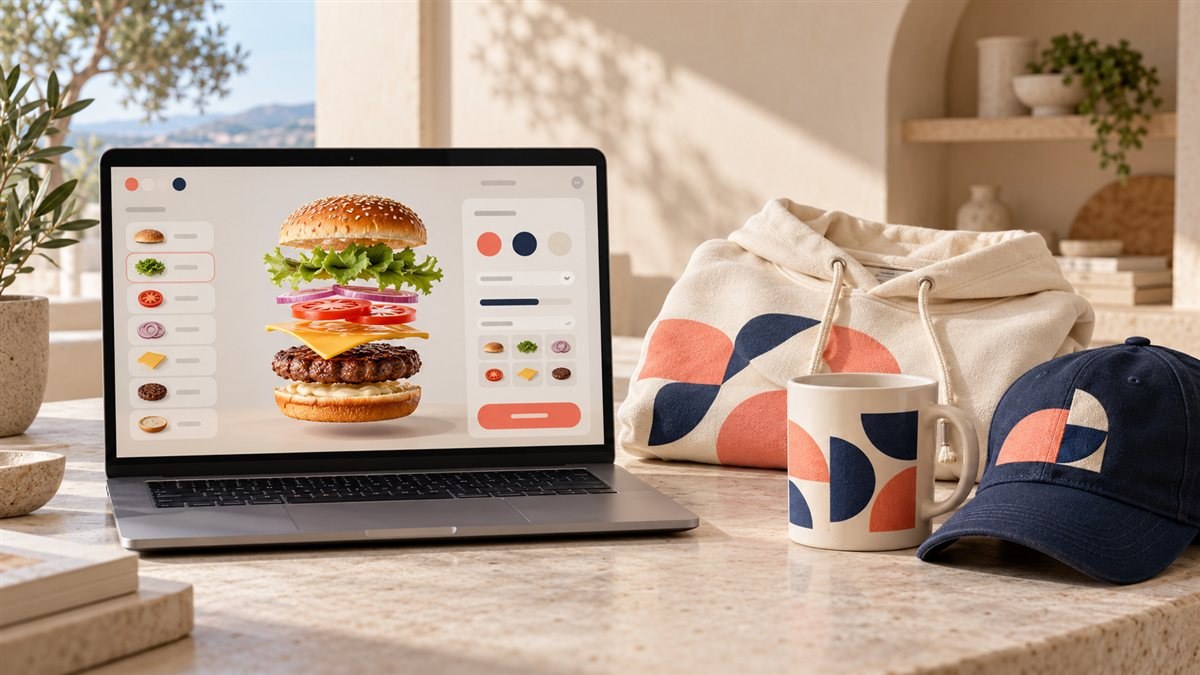
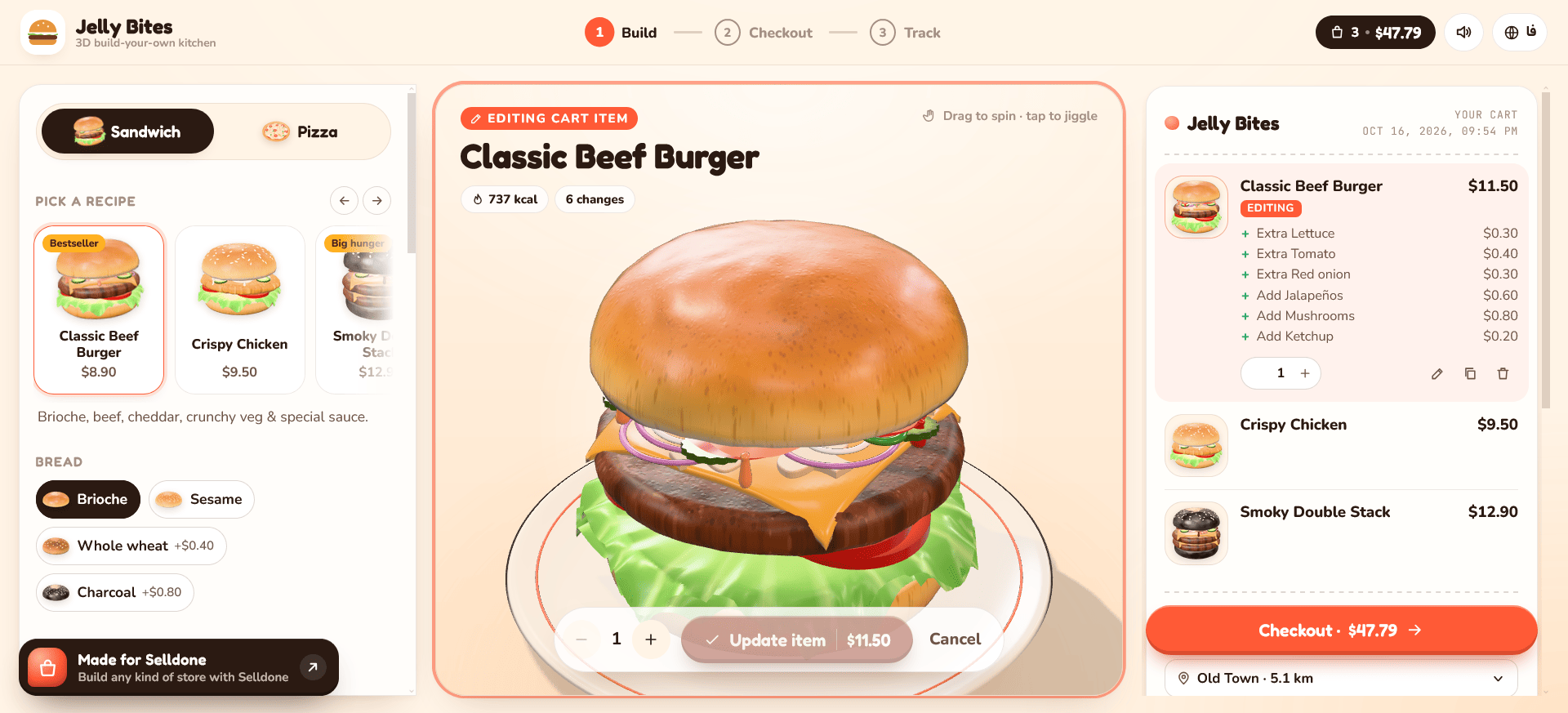
The bun lifts. The pickles come into view. Add another slice of cheese and the burger changes in front of you, along with the receipt.
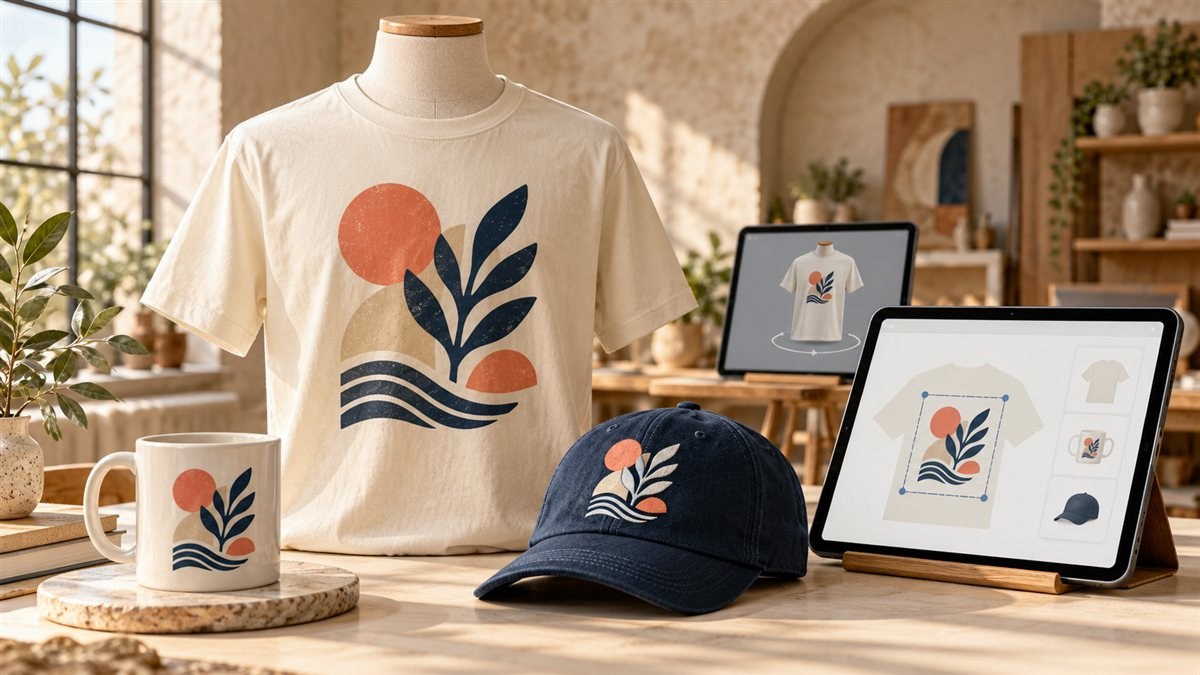
Elsewhere, a shopper drops an illustration onto a hoodie, moves it a little higher, then turns the product around to see how it feels. Behind that simple interaction, the seller has already decided where the artwork can go and how large it can be.
These are two very different shopping experiences. They share a useful idea: a store can be shaped around the thing you sell, down to the way someone chooses it.
We have put both starting points in the Modern Shop collection on GitHub: , a 3D fast-food storefront, and , a product designer for custom merchandise. The source is available under the MIT license, so you can explore it, adapt it, and build on it.
Bring an idea, your own brand, and an AI coding tool such as Codex or Claude Code. There is already something interesting to work with.
Jelly Bites: let customers build their lunch
Start with the Jelly Bites live demo. Choose a burger, drag to turn it, and try changing an ingredient. The food responds with a soft wobble. Highlight a layer and the stack opens so you can see what is inside.
It is playful, but the interaction has a practical purpose. Customers can see the choices they are making. Pickles, sauce, cheese, and toppings become visible parts of an order rather than a string of options they have to imagine.
The pizza builder takes the same idea in another direction: choose the size, crust, sauce, and toppings, then watch the pizza take shape. A live receipt makes the consequences of those decisions visible. The demo also explores delivery or pickup, promotional codes, checkout, and an order-tracking screen.
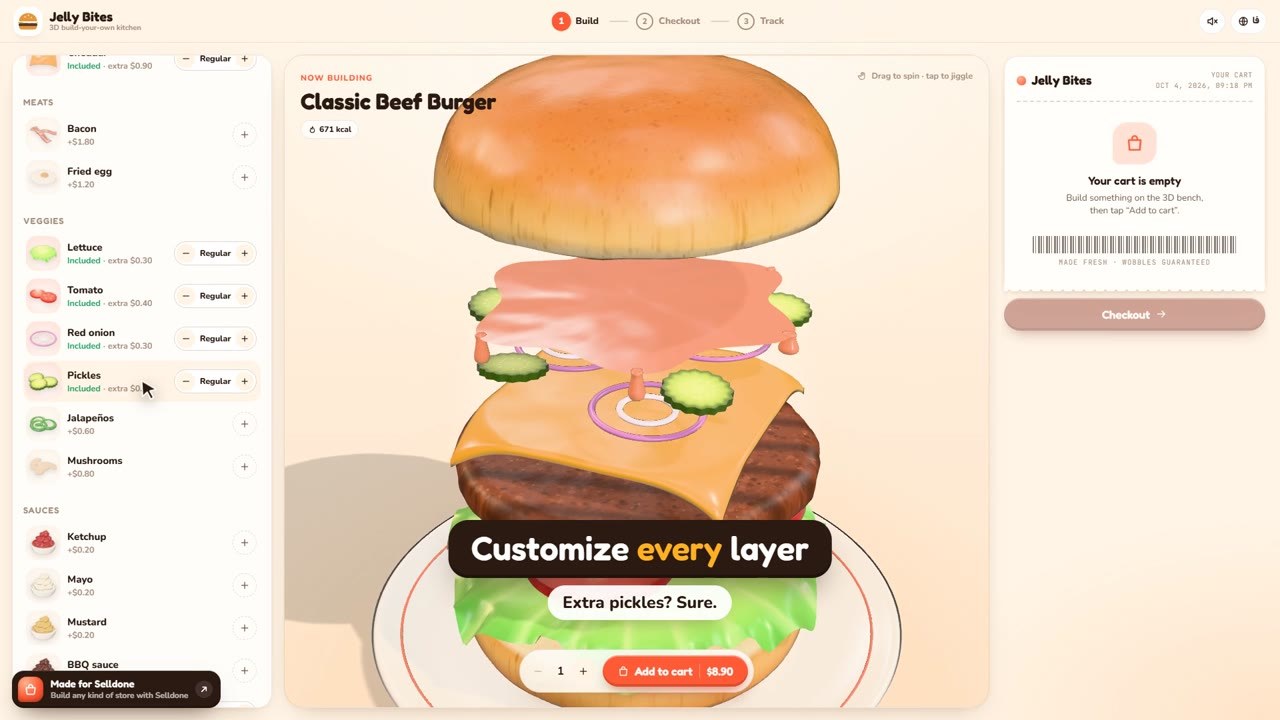
There is a small detail here that matters when people change their minds. The item on the building stage is a draft until the customer chooses . A cart item can then be brought back into the 3D builder and edited. That is the kind of interaction a restaurant can make its own.
The 3D fast-food storefront source is built with Vue, TypeScript, and Three.js. You do not need to know those names to try the demo. For a developer or coding agent, they identify a familiar browser-based project to inspect and extend. The food shapes are generated in code, giving you a concrete starting point for changing their appearance and behavior.
A burger shop might adapt the menu to its own recipes and packaging. A pizza brand might put its signature combinations first. You could change the colors, language, copy, ingredient options, and ordering flow to fit the business. English and Persian layouts are already represented in the sample.
One boundary is worth understanding before you use it for real orders: the current demo uses sample catalog data, browser-stored orders, and simulated checkout and tracking. Its Selldone connection still needs to be implemented. The visual experience is there to explore; final catalog and pricing checks on the server, payment, and fulfillment need a real commerce integration. The 3D experience requires a WebGL 2-capable browser, so test an adaptation on the phones and browsers your customers use.
Mockup Studio: one experience for the seller, another for the shopper
A custom T-shirt shop has a different problem. The customer wants freedom to experiment. The printer needs a design that fits the actual print area.
Mockup Studio approaches both sides of that problem. Open the live product-designer demo and you will see two clearly marked modes: for store admins and for shoppers.
The seller sets the rules once
In the template builder, a seller chooses the product, adds product views, and defines the printable area. Those dimensions are stored in millimeters, with settings for resolution and bleed, the extra artwork around a trim edge.
The seller then decides what the shopper may change: moving, resizing, or rotating artwork, for example. A chest print can have its own boundaries, while a sleeve uses another area. The template can be tested from the shopper's point of view before it is handed over to the host application.
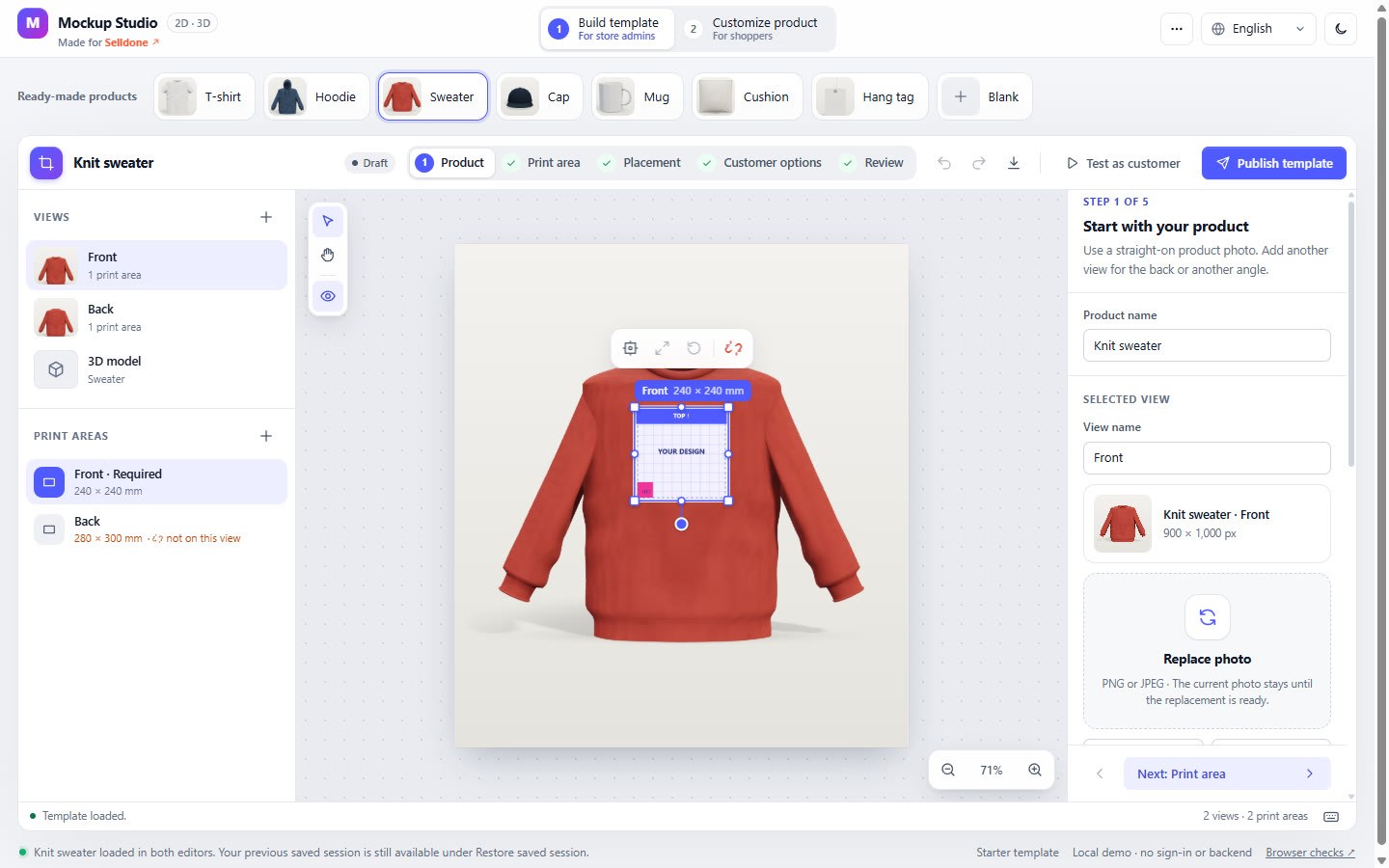
That separation makes the idea useful beyond a single T-shirt. The sample gallery includes a T-shirt, hoodie, sweater, cap, mug, cushion, and hang tag. Prepared 3D assets can also be used within the supported model format. For a different product shape, plan on preparing the model and its print-area mapping.
The studio can create initial product photos from a configured 3D model, too. That gives the seller another way to prepare views for the editor while developing a product experience.
The customer gets room to play
The shopper's editor is more focused. Upload an image, position it, adjust its size, and preview it on the product. The merchant's rules stay in place while the customer experiments.
There are photo-based 2D views and an optional 3D view that can be rotated. Changes to the artwork appear on the model. On supported soft products, a pull tool even lets you lift the fabric and watch it settle back. It is a preview effect; it does not stretch the artwork sent to print.
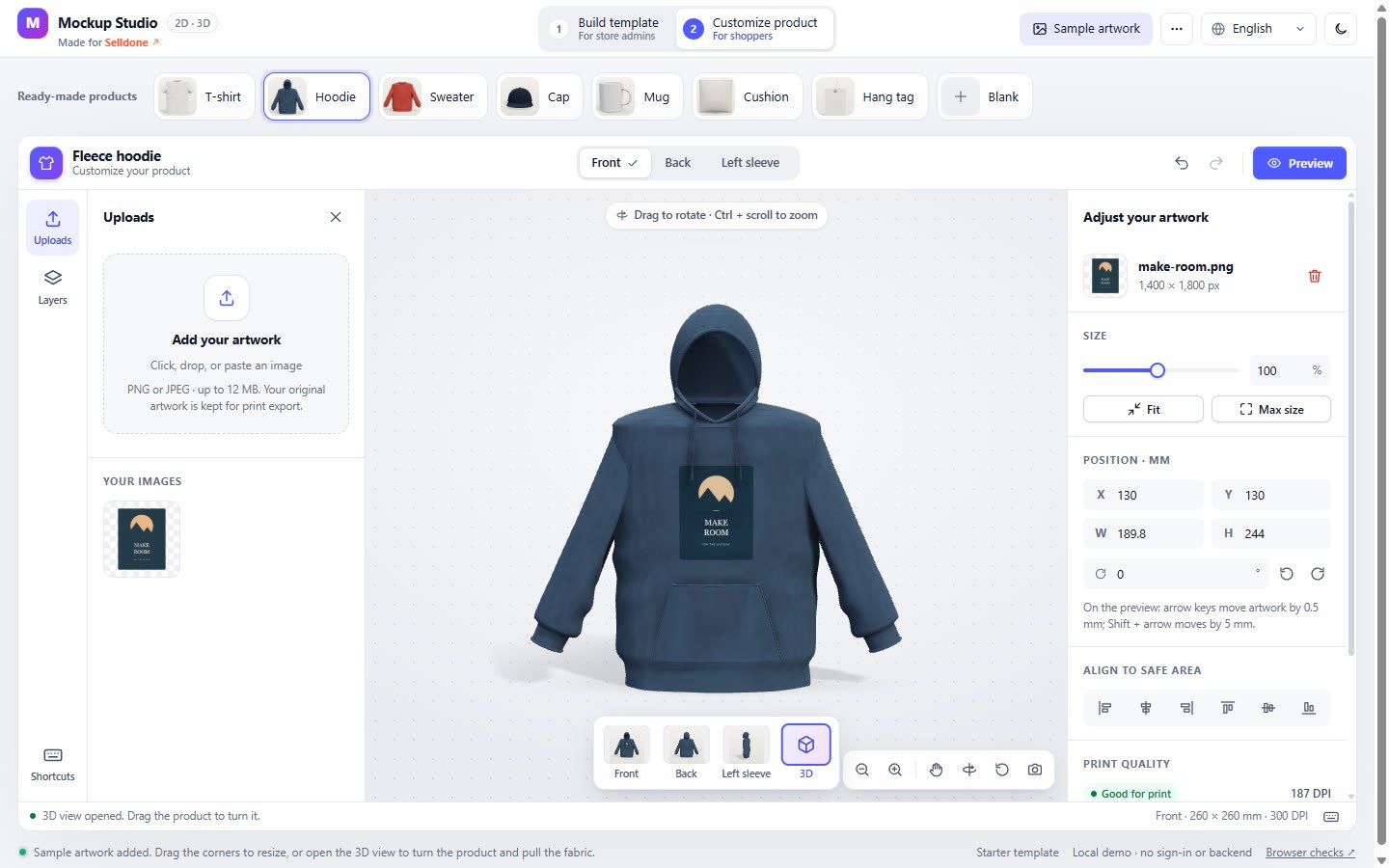
A clear distinction runs through the project: One shows the customer what the item might look like. The other is a transparent PNG for a print surface, using the configured physical dimensions and resolution. A print-quality indicator helps explain how the source image's pixels relate to its chosen size.
For an actual production workflow, the printer still needs to approve dimensions, colors, and file requirements. The current export is browser-rendered RGB PNG, without printer-specific CMYK or color-profile conversion. The generated product shapes are illustrations rather than measured replicas of every garment you might sell.
The demo also keeps templates and designs locally. Saving them to a business, attaching the exact design to an order, taking payment, and sending the job to production are integration steps for the finished store. Text/font tools, product variants, and direct artwork dragging on the 3D surface are among the features still on the project roadmap.
A starting point changes the conversation with AI
“Build me a store” leaves a lot for an AI assistant to guess. “Take this product editor, use our brand, and make the customer flow work for our print shop” gives it something concrete.
That is why we are sharing the source. You can see the interaction, try it, and point to the parts you want to change. A screenshot becomes a discussion. A demo becomes a working reference. The code gives your developer or AI coding agent somewhere to begin.
Use ChatGPT to work through the business idea: Who is buying? Which options matter? Where do customers hesitate? What information should reach the kitchen or print team? Then bring that brief into Codex, Claude Code, or another AI development environment that can inspect and edit the project.
AI tools can help adapt components, revise the design, connect services, write tests, and explain unfamiliar code. A strong result still depends on a clear brief and checking the actual experience. Give the assistant one useful milestone at a time, and ask it to show what works.
Where Selldone MCP fits
The front of a store is the part customers touch. Behind it are products, stock, payments, shipping, and the orders someone has to fulfill.
Selldone MCP gives a connected AI assistant structured access to an authorized Selldone shop. During a build, that can help the agent work with the shop's catalog, content, and supported configuration instead of guessing at a separate set of demo data. Access stays within the shop and permissions you choose.
The deployed storefront then needs its own implemented Selldone API or service integration. MCP helps the assistant do the development and approved shop work; it does not automatically turn a demo's checkout button into a live payment flow.
For Jelly Bites, that means connecting the menu and order flow to real commerce services. For Mockup Studio, it means storing the seller's template and the customer's chosen design reliably, then preserving that design with the right product and order. The customer-facing experience can stay distinctive while Selldone provides the commerce foundation.
There are different ways to build on that foundation. A full storefront can be customized through the Selldone Layout workflow, while a more specialized custom application can use a separate frontend. The Selldone Genesis overview explains those paths. The right choice depends on how much of the existing store you want to keep and how unusual the customer journey needs to be.
Give your AI a better first brief
You can begin with the following request in a coding environment. Replace the bracketed parts with your own business details.
Inspect the two projects at https://github.com/Modern-Shop and recommend the better starting point for [my business]. Read its documentation, then clone the chosen project into a new folder. Show which features work today and which need integration. Adapt the customer journey to [my brand, products, and requirements], keeping it usable on mobile.Once you have chosen a direction, ask for the next milestone:
Connect the intended Selldone shop through MCP with the permissions this task needs. Plan and implement the real catalog, design-storage where relevant, cart, checkout, and order integration using supported Selldone services. Replace demo assumptions with actual shop data. Test the complete flow and show a preview for review before deployment.Those prompts are the beginning of a build conversation. A good agent will inspect the project, identify missing pieces, and work through them with you.
For a first restaurant milestone, you might ask for one complete order: customize one item, see the correct price, pay in the supported test flow, and verify the order received by the business. For a print shop, follow one design from upload to preview to the exact saved artwork attached to the order.
This is also where a custom storefront can become a more economical project. Existing interaction code and a commerce platform can reduce the amount you have to build from scratch. The final cost still depends on the design, integrations, assets, hosting, and testing your business needs. The MIT license makes the sample source reusable; it does not include those services for free.
Build it yourself, or bring the idea to our team
We will keep refining the Modern Shop samples and developing the collection. You can start from the versions available now, adapt a whole experience, or borrow the part that solves your particular problem.
If you would rather have specialists shape the result around your brand, you can request a tailored storefront estimate from Selldone's official setup and design team. Bring the demo you like, your products, and the experience you want customers to have. We can scope the design and implementation with you before the project begins.
Maybe your store starts with a burger that comes apart on screen. Maybe it starts with a small illustration on a mug. Open the demos, change something, and see which idea feels like your business.
Explore Modern Shop on GitHub · Try the 3D food builder · Try Mockup Studio
FAQ
What is Modern Shop?
Modern Shop is a collection of open-source concept storefronts made for Selldone. The two current samples are Jelly Bites, a 3D fast-food storefront, and Mockup Studio, a seller and shopper product-customization tool.
Are the Modern Shop samples free to customize?
Both projects publish their source under the MIT license. You can use and adapt the code subject to that license, including its notice requirements. Design work, AI usage, commerce services, hosting, and production integrations may have separate costs.
Can I use ChatGPT or Codex to adapt these storefronts?
Yes. ChatGPT can help develop a brief, and a coding environment such as Codex can inspect the repository, edit the project, and help test integrations. Give the agent concrete requirements and review the result before deployment.
Are the demos already connected to live Selldone checkout?
No. Jelly Bites uses mock commerce data, and Mockup Studio demonstrates local template and design workflows. A working store needs the appropriate Selldone integration for real products, carts, payments, orders, and persistent design storage.
What can customers personalize in Mockup Studio?
The sample supports uploaded artwork on products such as T-shirts, hoodies, caps, and mugs, within print areas configured by the merchant. Customers can adjust placement and view photo-based 2D or supported 3D previews. Some advanced editing features remain on the roadmap.
Can Selldone's team design a custom storefront for my business?
Yes. You can request a tailored storefront estimate through Selldone's official setup service. The team reviews the intended design, functionality, scope, and delivery terms before the project is ordered.
Make Your Business Online By The Best No—Code & No—Plugin Solution In The Market.
30 Day Money-Back Guarantee
Create Your E-commerce StoreStart now — it's free
Say goodbye to your low online sales rate!

Share your thoughts with us