

Build a Beautiful 3D Restaurant Store with Selldone Genesis and Claude
Imagine visiting a restaurant website where you can rotate your burger, explore its ingredients, change the bread, add your favorite toppings, and see your order take shape before checkout.
That is the kind of experience you can build by combining Selldone’s commerce capabilities with Claude’s ability to create custom interfaces. Through Genesis, Selldone’s AI initiative, business owners can use AI tools to help build and operate their stores, bringing creative ideas closer to working ecommerce experiences.
Jelly Bites, the restaurant concept shown here, offers a delicious example: a colorful digital kitchen built around interactive 3D food, personalized orders, and a playful shopping journey.
Meet Jelly Bites
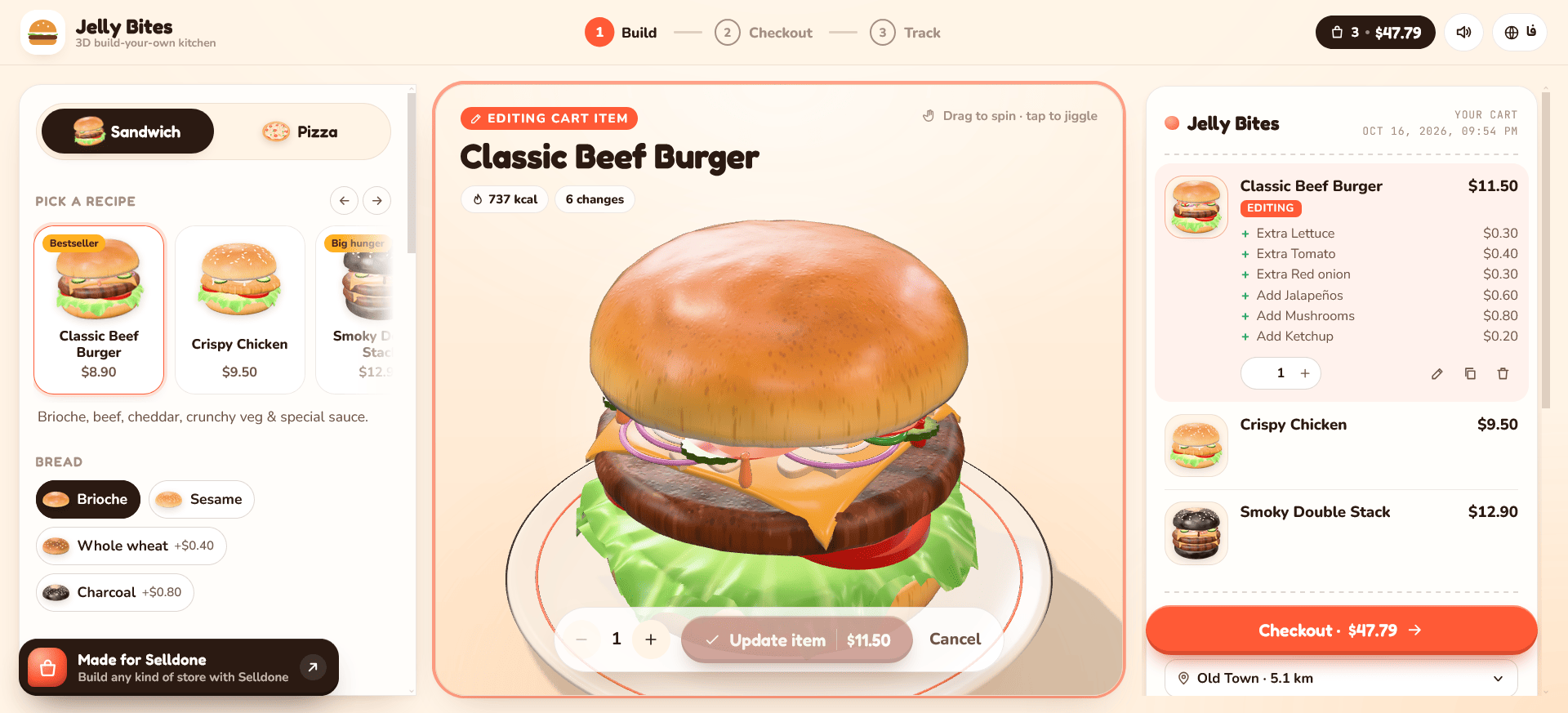
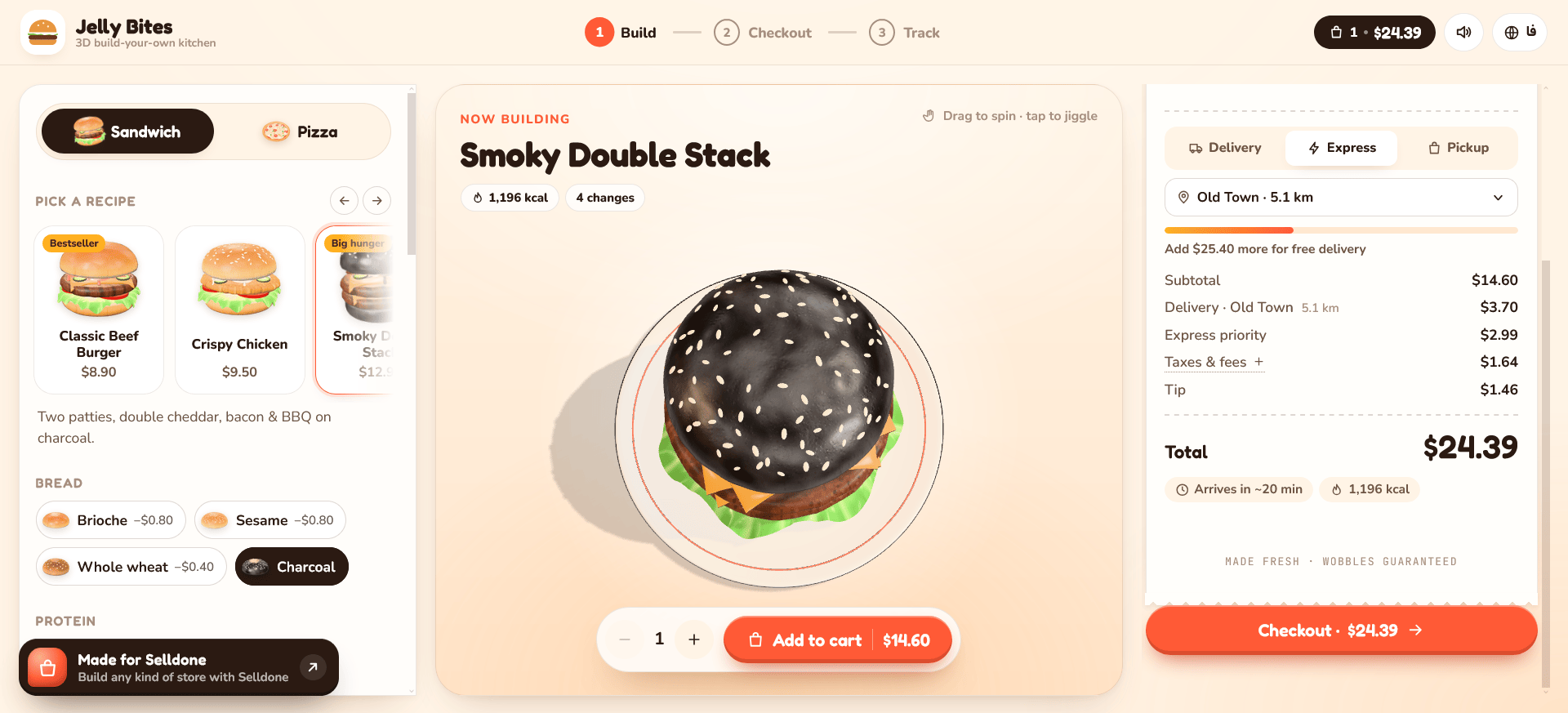
Jelly Bites gives online food ordering a distinctive personality. Warm cream backgrounds, bright orange buttons, rounded cards, and expressive typography create an inviting atmosphere. A large 3D burger becomes the centerpiece, giving customers something to explore as they make their choices.
The interface organizes the experience into three stages: Build, Checkout, and Track. This simple structure keeps the journey understandable, even when the product itself offers plenty of customization.
The builder places recipes and ingredients on the left, the burger preview in the center, and the shopping cart on the right. Customers can explore their meal while keeping their selections and prices visible.
Explore the Jelly Bites demo and try the 3D restaurant experience for yourself:
👉 Try the Jelly Bites 3D Kitchen
Where Selldone Genesis Comes In
Genesis brings AI into the process of building and managing a Selldone business. It connects the business capabilities of Selldone with AI assistants that can help owners create content, organize products, develop storefront experiences, and perform supported store operations.
Through an authorized MCP connection, compatible assistants such as Claude can work with the Selldone capabilities made available to them. This gives the assistant business context and access to supported actions, depending on the connection and permissions.
For a restaurant, that can mean helping organize menu categories, prepare product descriptions, manage catalog information, and develop a storefront around the actual business.
The owner supplies the vision and makes the decisions. Genesis provides a path for AI assistance to become part of the work.
Turn Your Restaurant Idea into a Design
Claude can help translate a creative brief into the code for a custom storefront. You describe the restaurant’s identity, the experience you want customers to have, and the details that matter to your business.
A starting prompt could be:
“Build a playful restaurant storefront for my Selldone business. Use cream backgrounds, orange buttons, and an interactive 3D burger. Let customers choose recipes, customize ingredients, review their cart, and continue to checkout.”
The conversation can then become more specific. Ask for larger product previews, clearer ingredient controls, a different color palette, or a simpler mobile layout.
This makes design development more approachable. You can express changes in everyday language while Claude helps implement and refine them.
Make Food Customization Visual
The Jelly Bites builder shows how product customization can become an engaging part of ordering.
Customers can choose recipes such as Classic Beef Burger, Crispy Chicken, and Smoky Double Stack. Bread options include brioche, sesame, whole wheat, and charcoal. Additional ingredients appear in the cart with their individual prices.
The large preview gives each burger a strong visual presence. Distinct layers of bread, lettuce, tomato, cheese, and patties make the product feel tangible. The interface also invites customers to drag to spin and tap to jiggle.
For restaurants offering configurable meals, this approach can help customers understand their choices. The design should keep the visual representation, selected ingredients, and final order consistent throughout the journey.
Keep the Business Behind the Experience
A beautiful storefront needs reliable commerce operations behind it. Selldone provides the business foundation for managing products, customers, orders, and supported payment methods.
The custom interface can connect to Selldone through its APIs. That connection needs to carry the correct products, quantities, selected options, and pricing into the ordering workflow.
This is where the combination becomes useful: Claude helps develop the customer experience, while Selldone supports the business processes behind it. Genesis brings AI assistance into that broader workflow.
The 3D builder is a custom implementation, so its interactions and connection to the store need to be developed and tested for the restaurant’s requirements.
Give Customers a Clear Checkout
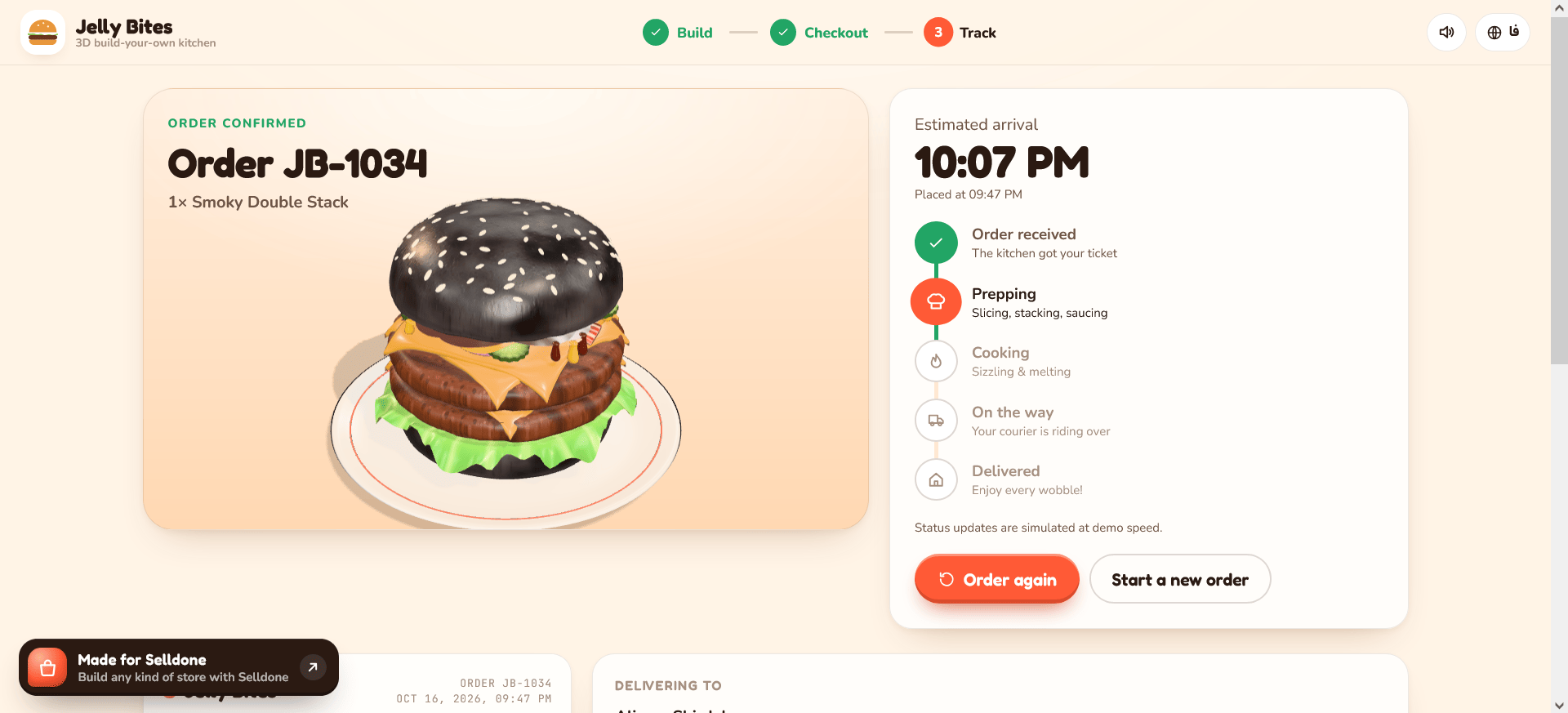
Jelly Bites continues its visual style through checkout. The concept includes delivery and pickup choices, an express option, scheduled ordering, tipping, and a promotional code field.
These details reflect the decisions people make when ordering food: where they want it, when they need it, and how they prefer to receive it.
The order summary keeps the selected meal and additional ingredients visible. Customers can review their choices and understand the total before placing an order.
In the illustrated demo, online payment is marked as coming soon. A live implementation would connect the checkout to the restaurant’s configured payment methods and validate the complete ordering flow.
Continue the Experience After Ordering
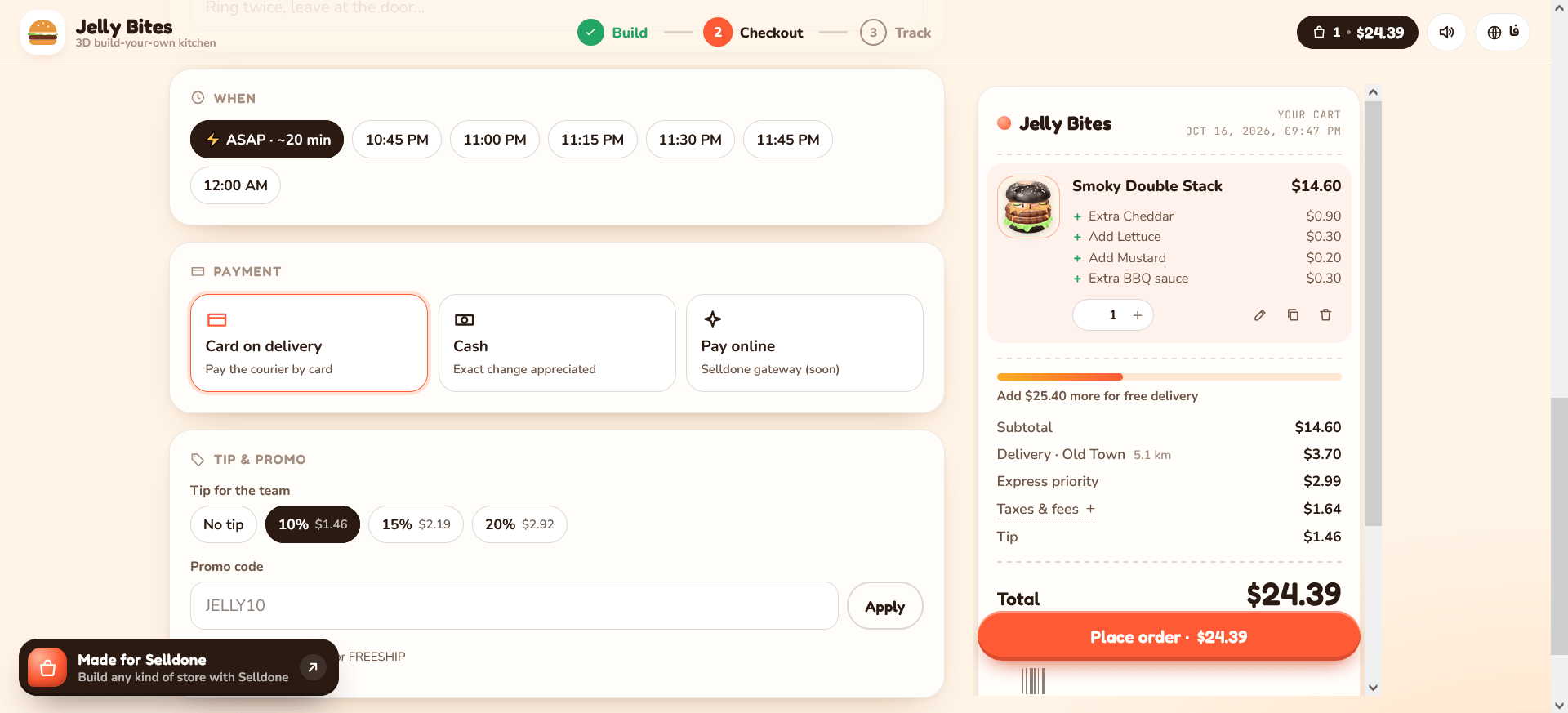
The confirmation screen carries the same personality into the next stage. A large image of the selected burger appears beside an order timeline with stages for receiving, preparing, cooking, dispatching, and delivering the meal.
The example uses simulated status updates. For a live restaurant, those stages would need to reflect actual operational events.
The design demonstrates a useful principle: order confirmation can remain part of the branded experience while giving customers practical information. Clear progress, relevant order details, and an easy way to reorder can make the page useful after checkout.
Start Small and Build Your Own Experience
You do not need to begin with an extensive menu or a complex configurator. Start with a focused selection of products and one memorable interaction.
Set up your menu in Selldone, connect your preferred supported AI assistant through the appropriate Genesis workflow, and describe the experience you want to create. Refine the design, connect the commerce actions, and test the journey on desktop and mobile.
Jelly Bites shows how expressive that experience can become. With Selldone Genesis and Claude, a restaurant can explore a storefront that reflects its own food, personality, and way of serving customers.
 Add Comment
Make Your Business Online By The Best No—Code & No—Plugin Solution In The Market.
30 Day Money-Back Guarantee
Create Your E-commerce Store Start now — it's freeSay goodbye to your low online sales rate!