

Free Website on Your Own Domain in Minutes? Yes! Here’s How to Use Cloudflare to Host a Static Page
Need to host a fast, professional-looking website page on your custom domain—for free? Whether it’s a landing page, a personal portfolio, or even a lightweight online store, Cloudflare Pages makes it ridiculously easy.
In this tutorial, I’ll walk you through how to build and deploy a static website on your custom domain using Cloudflare, with zero hosting fees and no coding headaches. We’ll also touch on how Selldone, the commerce cloud API, fits in for building scalable ecommerce sites with powerful backend features.
1. Build Your Static Page with AI Tools
Creating static HTML pages is easier than ever with the help of AI tools like ChatGPT, Gemini, or Claud. You can simply ask:
👉 "Create a responsive landing page using Bootstrap for a fashion campaign."
And boom—you’ll get clean HTML, CSS, and even some JS if needed. Just make sure your output includes an index.html file (this will be the entry point of your website).
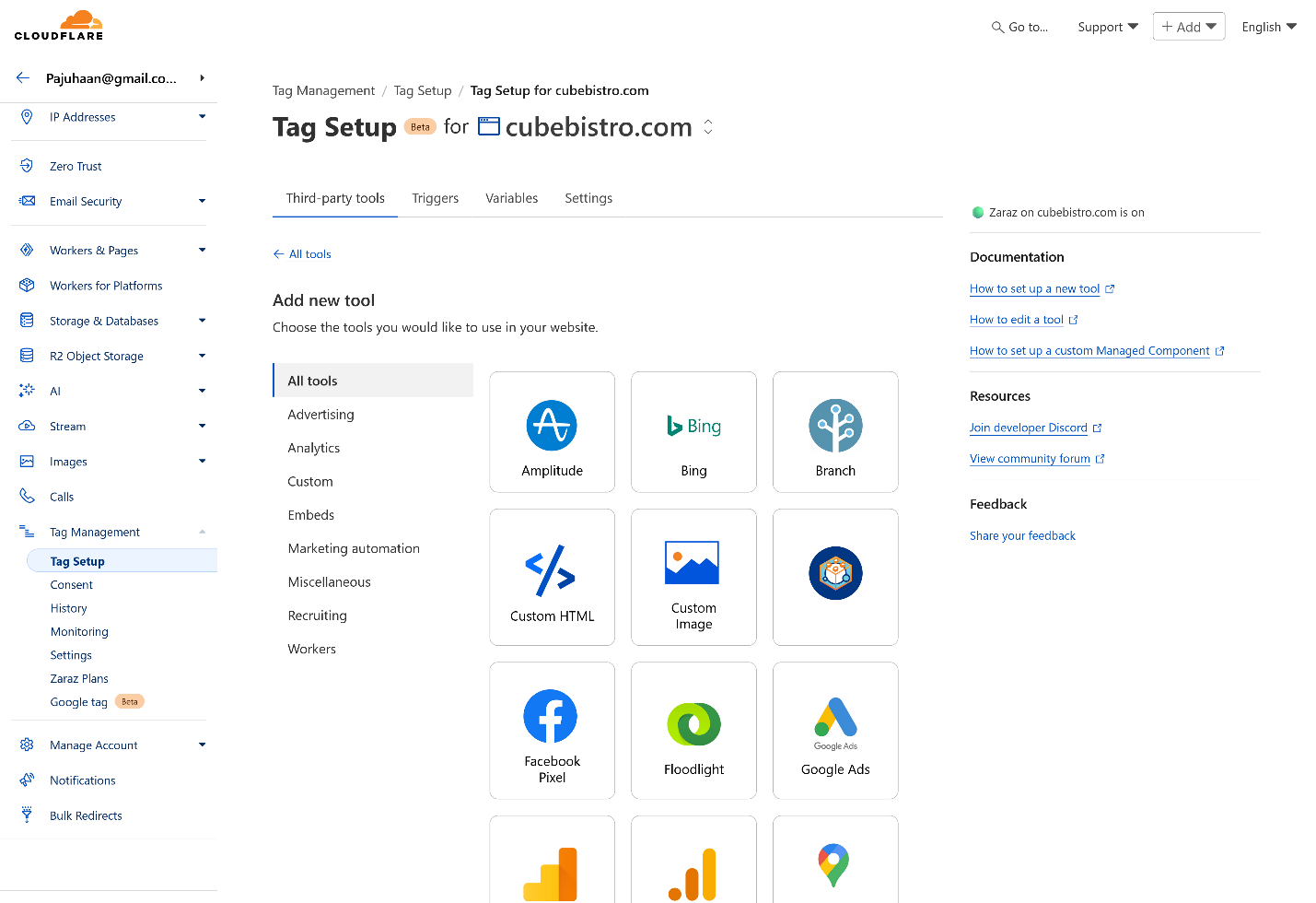
2. Sign Up on Cloudflare (It’s Free)
Head over to Cloudflare and sign up. No credit card required. Cloudflare is trusted by companies like Shopify, Discord, and IBM for a reason—it's fast, scalable, and secure.
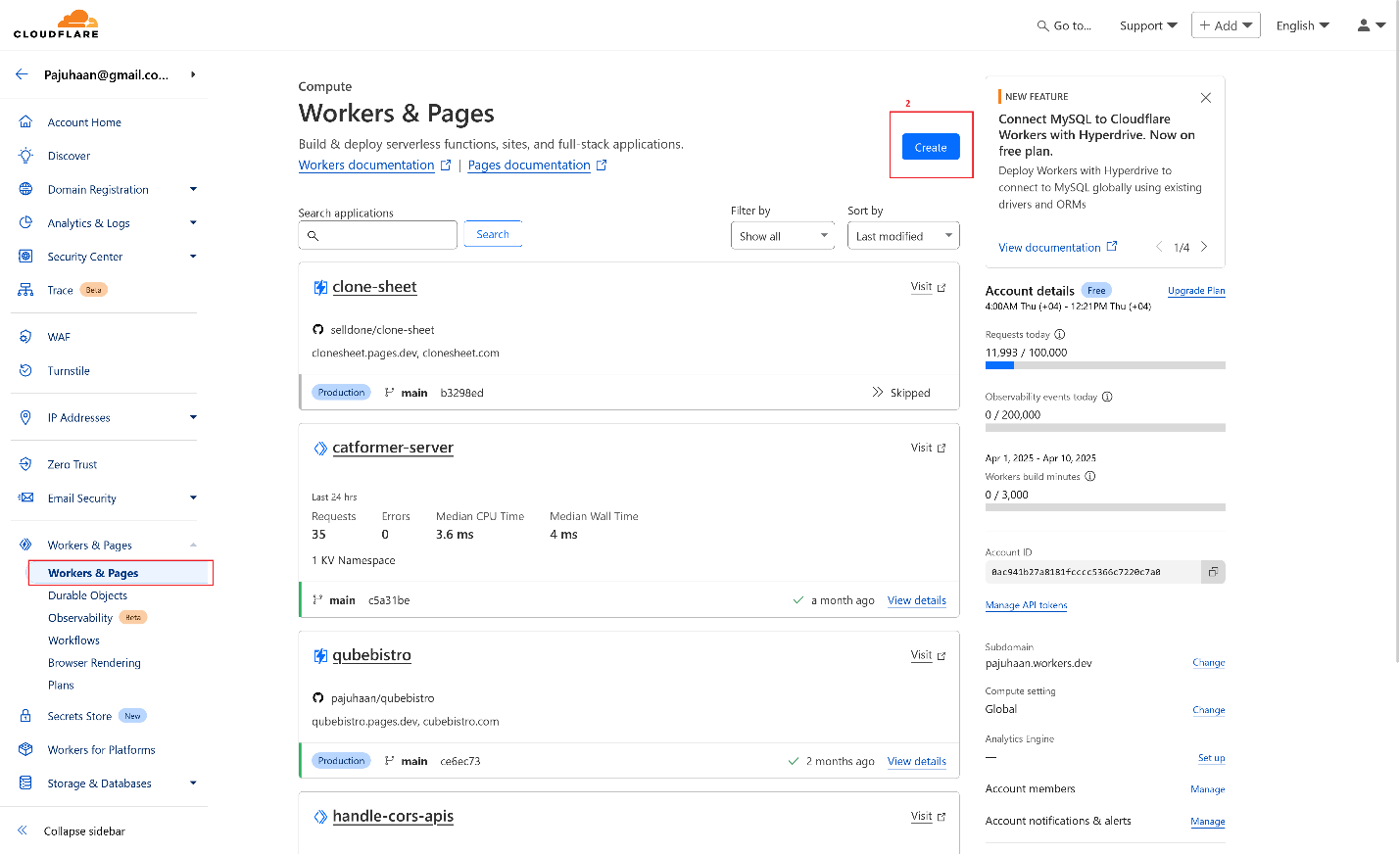
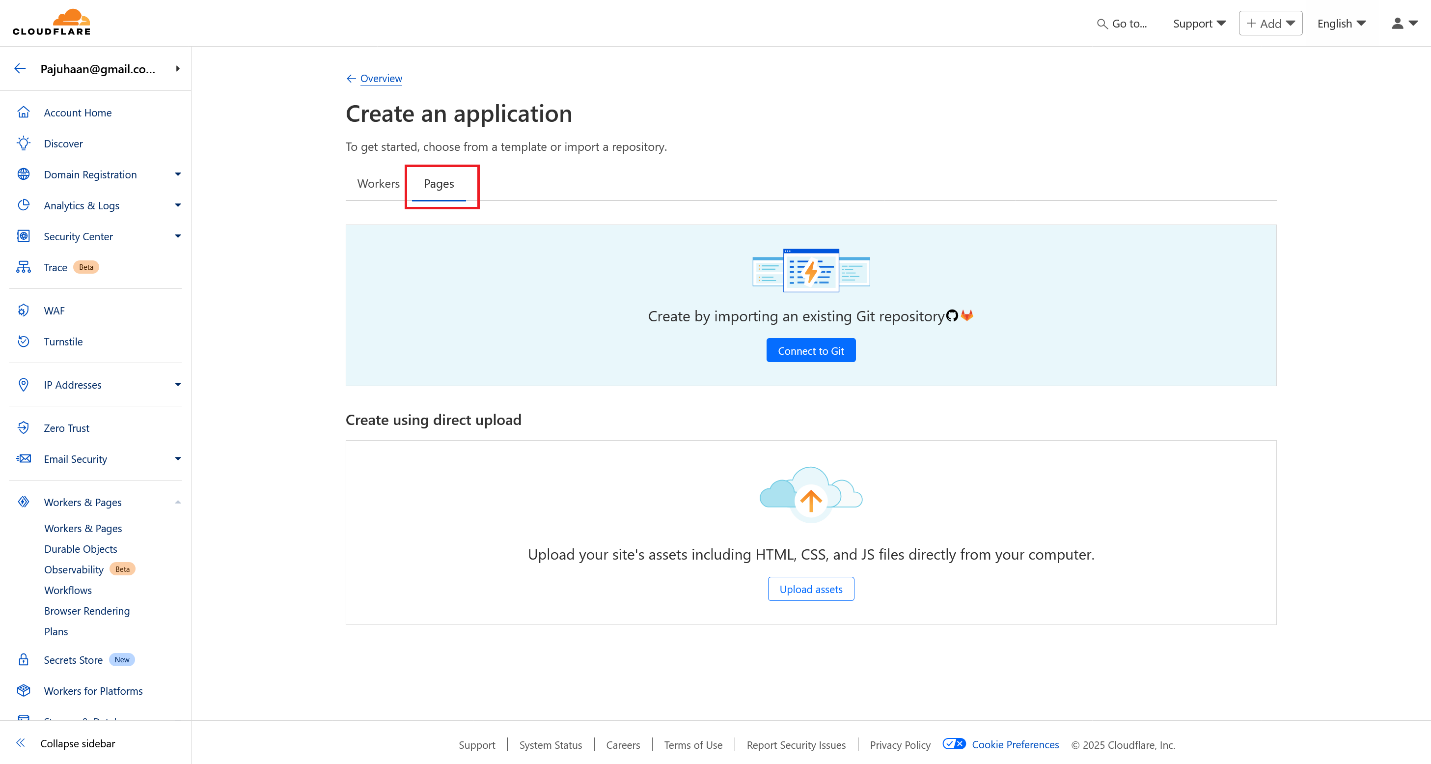
- Once logged in, go to your dashboard and find the "Workers & Pages" section.
- Click the “Create Application” button.
3. Choose How to Deploy Your Site
Cloudflare gives you two great options:
- Create by importing an existing Git repository
- Upload your site's assets including HTML, CSS, and JS files directly from your computer.
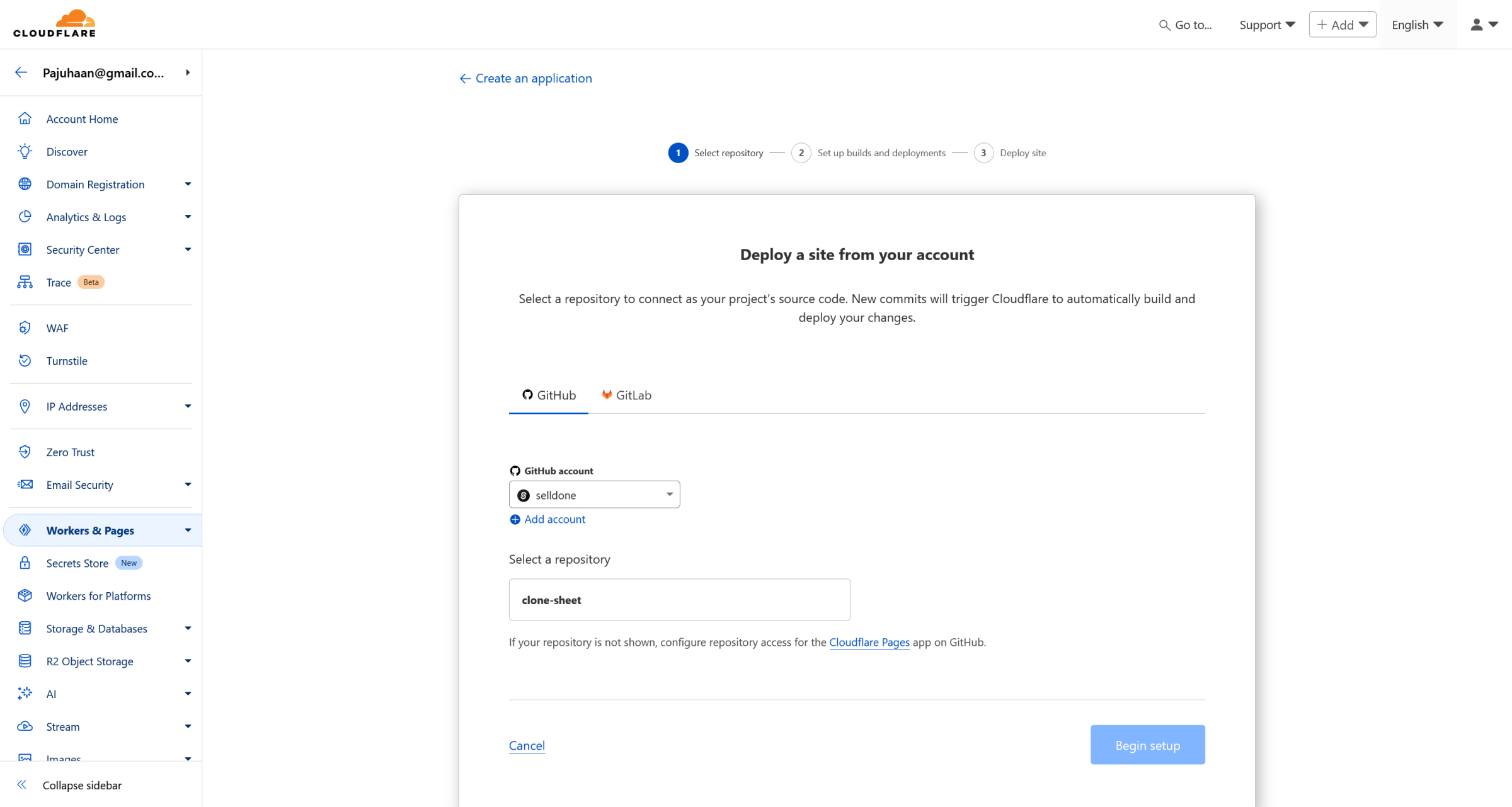
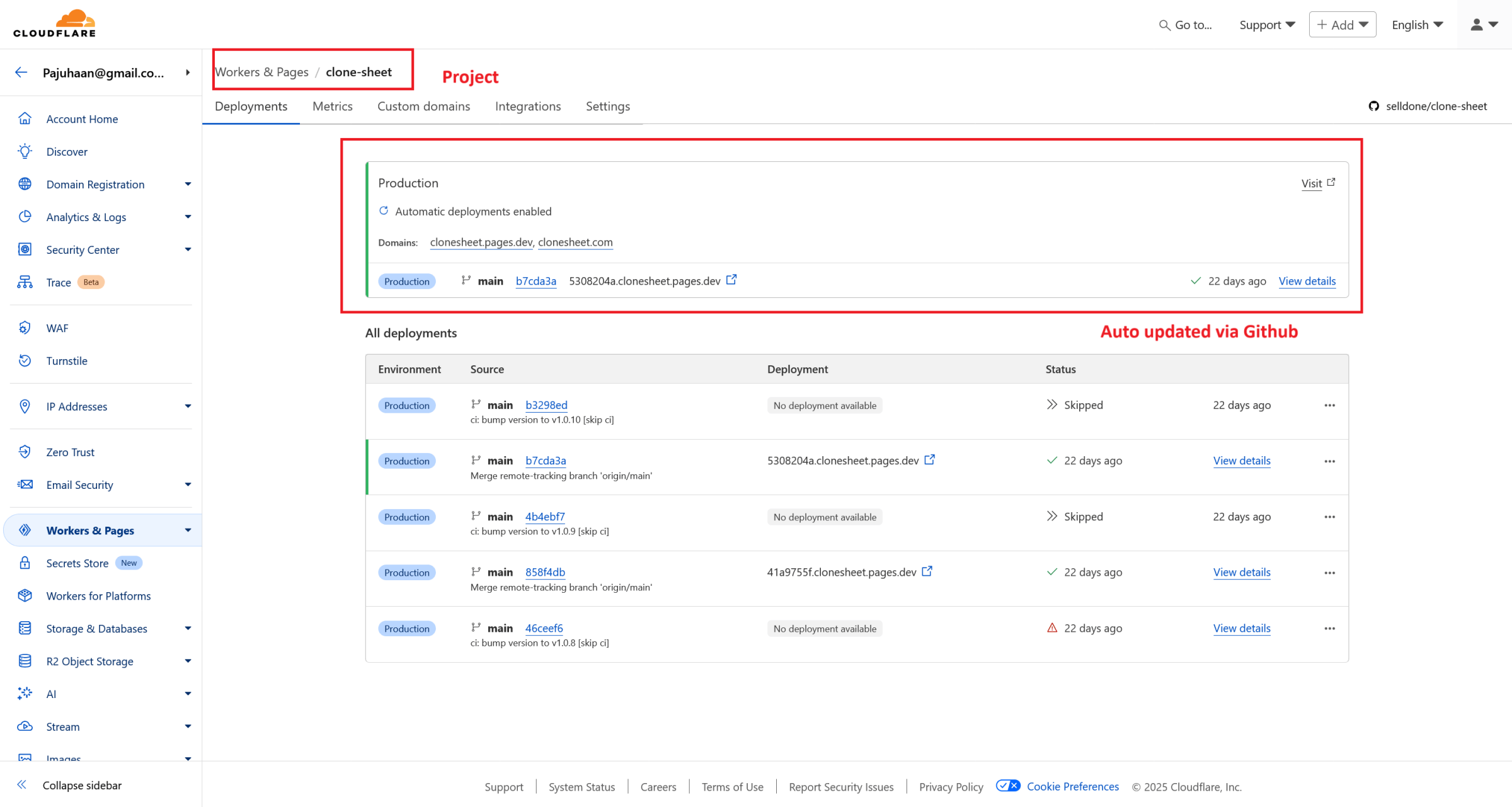
Option 1 – Connect a Git Repository (Recommended)
Link your GitHub (or GitLab) repo to Cloudflare. Any time you push new code, Cloudflare will auto-deploy your site. Super efficient!
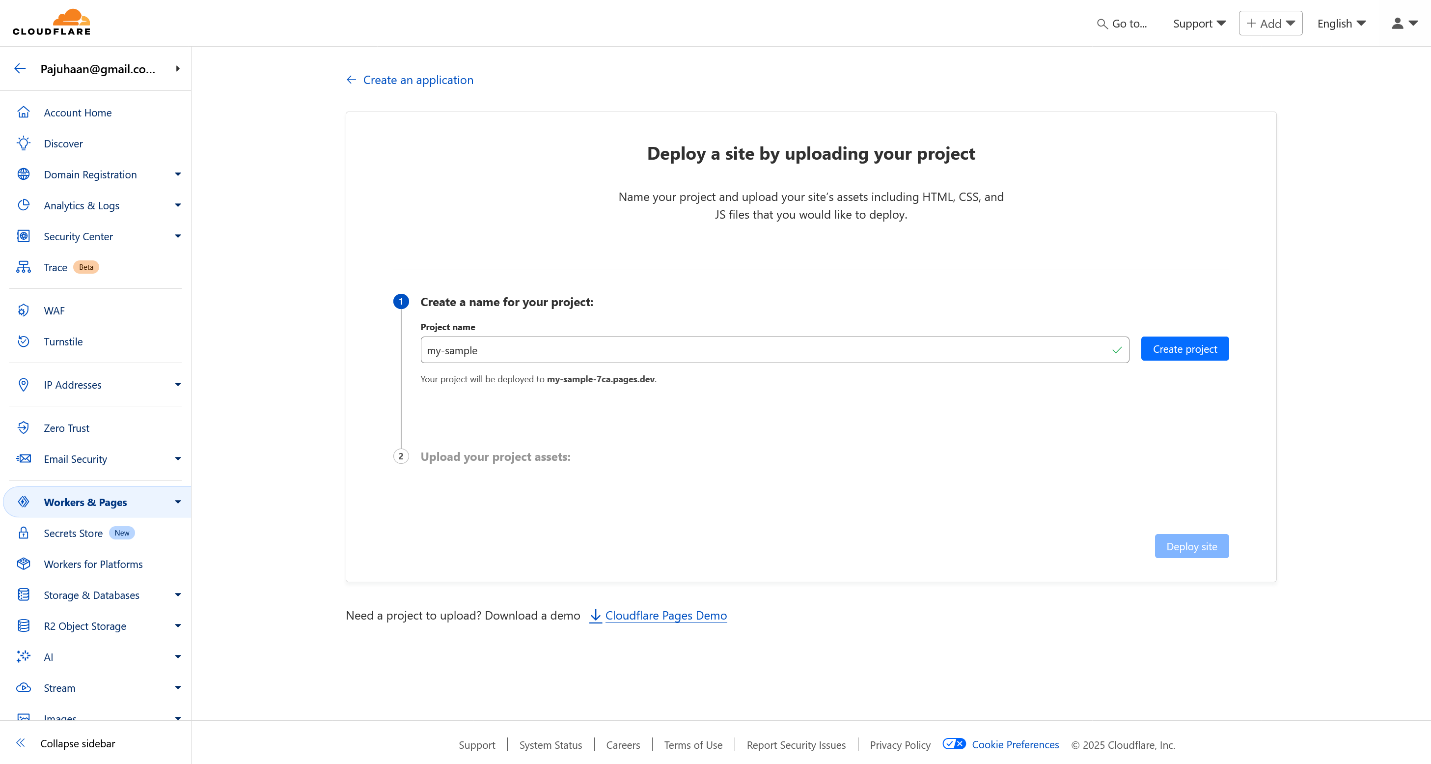
Option 2 – Drag & Drop Your Site Files
Perfect for quick starts. Just upload your index.html, style.css, and other assets. But keep in mind, you’ll need to repeat this for every update.
4. Make Sure You Have an index.html
Your main file must be named index.html—Cloudflare looks for this to load your site properly.
5. Add a Custom Domain (YourBrand.com)
Want your page to appear under your own domain (like yourname.com)?
Just go to your project in Workers & Pages → Custom Domains → click “Set up a custom domain.”
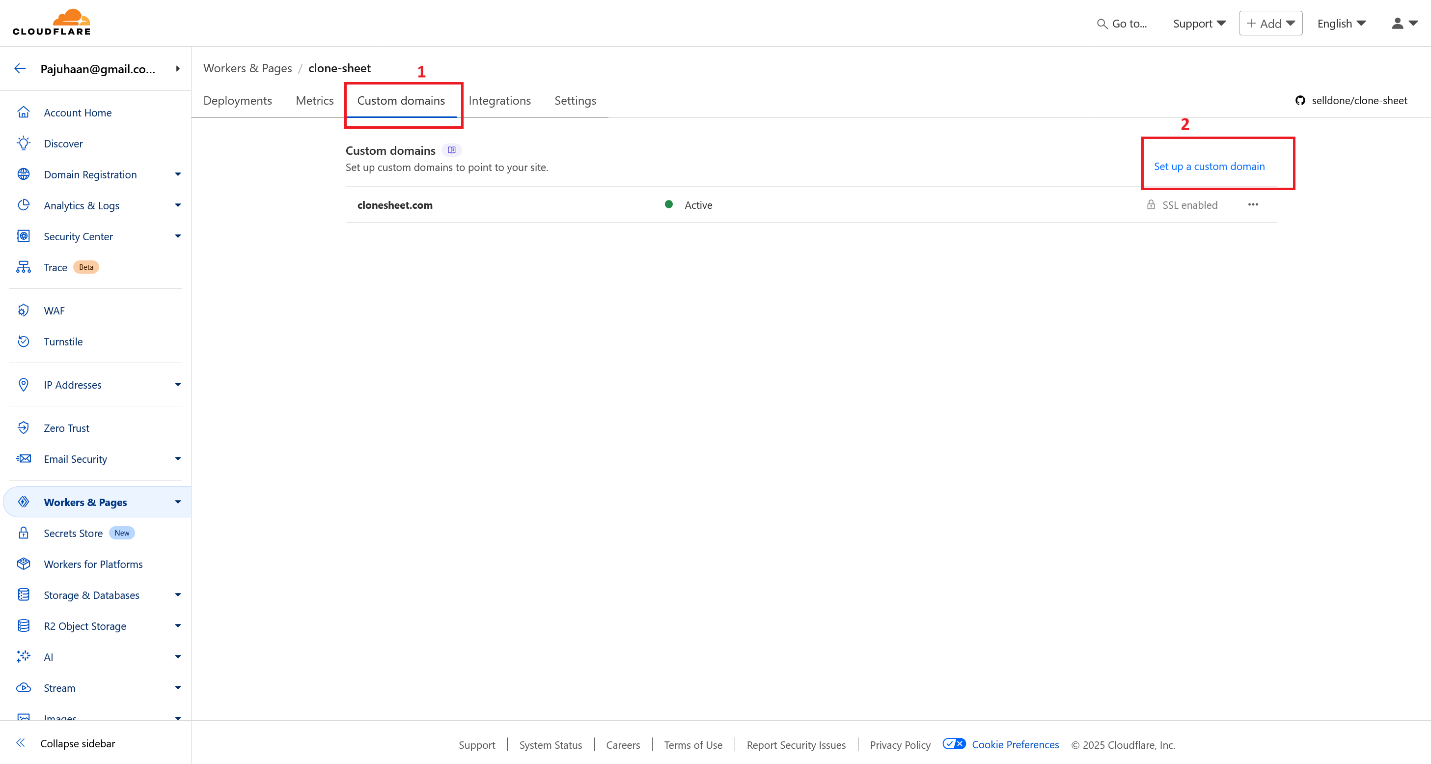
Cloudflare handles everything behind the scenes—DNS, SSL certificate, HTTPS setup—all automatically. In minutes, your site will be live on your domain!
6. Power Up with Selldone’s Headless Commerce API (Optional)
Want to add ecommerce features to your static site?
That’s where Selldone shines. Unlike other platforms, Selldone doesn’t lock you into a frontend theme or plugin. Instead, it gives you full control of:
- 🛍️ Product list & store layout
- 💳 Payment systems
- 📦 Inventory & CMS
- 🎯 Campaigns, incentives & more
💡 Use the Storefront SDK to fetch your products dynamically.
Or even check out the full open-source components on GitHub: 👉 https://github.com/selldone
Key Takeaways
- You can launch a static site for free on your custom domain using Cloudflare Pages.
- AI tools like ChatGPT or Gemini make creating your page content a breeze.
- Cloudflare offers auto-deploy from GitHub or a simple drag-and-drop interface.
- You get free SSL, HTTPS, and global CDN with zero setup.
- Pair it with Selldone’s API for advanced ecommerce features like product listings and inventory management.
Quick Tips to Get Started Today
✔ Ask an AI to generate a landing page HTML
✔ Create a Cloudflare account
✔ Deploy via GitHub or upload files
✔ Add your custom domain
✔ Connect Selldone API if you need ecommerce magic
Your site, your domain, your rules—launched in minutes. Now go build something great. 💻✨
 Add Comment
Make Your Business Online By The Best No—Code & No—Plugin Solution In The Market.
30 Day Money-Back Guarantee
Create Your E-commerce Store Start now — it's freeSay goodbye to your low online sales rate!